Six machines. Six days blind. And a BIOS that updates itself from my own network.
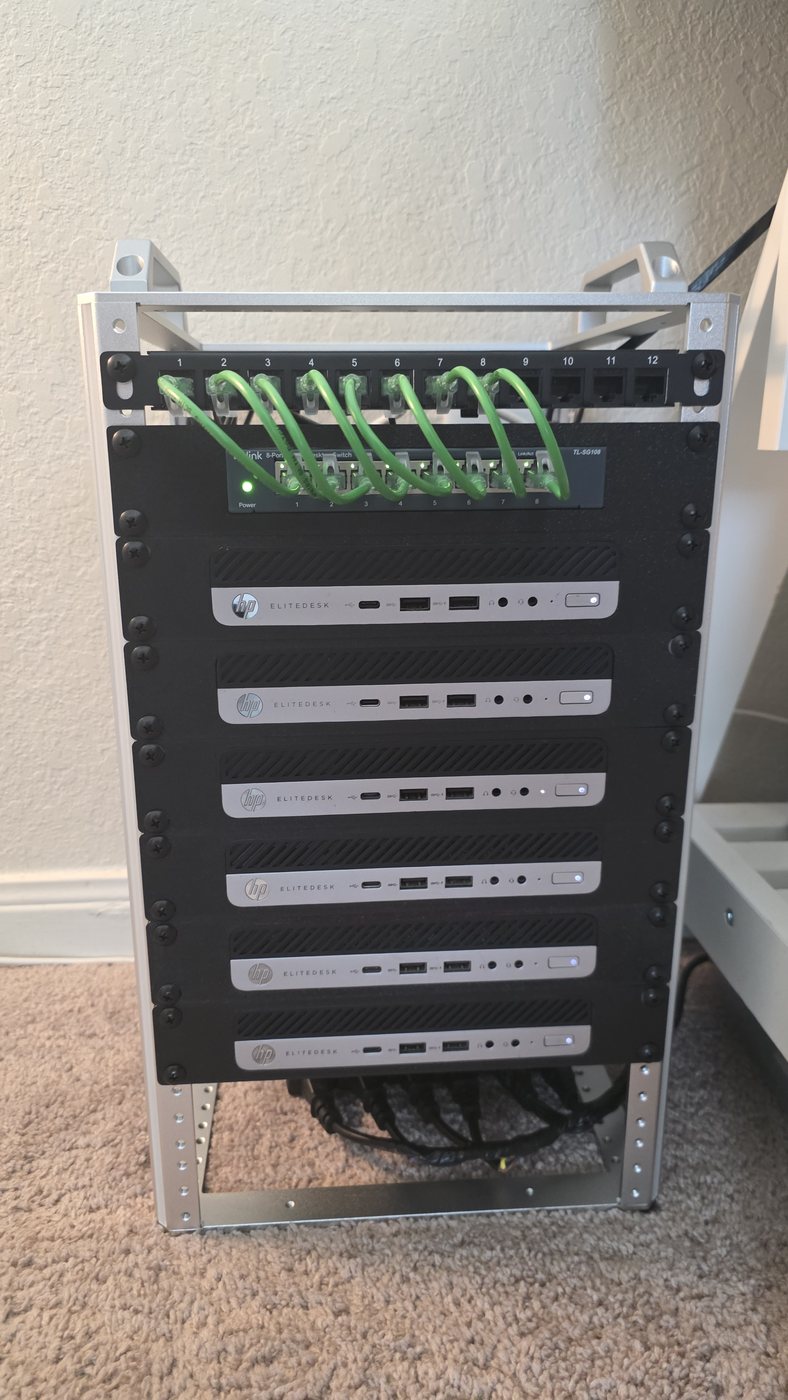
Last month two nodes in my homelab Kubernetes cluster went offline and stayed offline for six days before I noticed. The cluster kept serving — that was the problem. Nothing screamed.
When I finally looked, the fix was embarrassing: they were in a loose stack and overheating. Racking them properly brought both back on their own.
But the real finding wasn't thermal. It was that for six days I could not answer the simplest question — "is it even powered on?" — without walking to the rack. On six machines with Intel vPro silicon sitting completely unused.
So I set out to turn it on. Here's what that actually took.
The documentation describes a machine adjacent to yours
Every guide says you enter Intel's management firmware with Ctrl+P at boot. On my HP machines that key does nothing. HP routes it through its own setup menu, behind an option you have to enable first. First hour gone. It set the tone.
Two correct decisions, one broken outcome
Once enabled, the management ports started closing. One node, then another, in no obvious pattern. Not a failure — a collision. The management engine had been left as a DHCP client, and I'd separately narrowed the DHCP pool to stop address conflicts. The nodes sit outside that pool. So each engine went dark the moment its lease expired, one at a time, over days.
Nothing was broken. Two reasonable changes had produced a wrong result. That's the failure mode nobody writes runbooks for.
Absence of evidence, used as evidence
The fix was remote — management settings are writable over the network once a node is activated. But three nodes were already dark. I reopened the DHCP pool and waited for them to ask for an address.
Twenty minutes. Zero requests. The engine doesn't retry once it has given up.
What worked was rebooting the host: the network card resetting at POST gives the engine a fresh link-up, and it asks immediately. Answered five seconds later. That negative result — the silence — was what pointed at the answer.
Then the remote console showed a black screen
Twice, for two different reasons. First, the KVM feature was disabled in firmware on all six — fixed remotely, no reboot. Then it was still black, because these boards never light up their video output with no monitor attached. A three-dollar DisplayPort dummy plug fixed it instantly.
Which means: without that plug, remote console is black exactly during the outage it exists for.
The wall: one node had a 2017 firmware vulnerability, and every update path was closed
CVSS 9.8, a LAN attacker authenticating as admin by sending an empty hash. Harmless while the feature was off — now live, on a cluster voter. The fix is a vendor BIOS package. Four attempts:
- The Linux firmware service doesn't carry this model.
- Staging the image on the EFI partition: normal reboot, no flash.
- Setting the "reflash" flag over the network: accepted by the firmware, ignored by the BIOS.
- The built-in updater: "could not find BIOS update binary files" — it only scans removable media.
I wrote it down as settled. Needs a person, a USB stick and a trip to the rack. Three documents said so.
Then I built a logging server, and the log solved it
The BIOS has a network-update feature: give it a URL, it fetches firmware itself. I mirrored the vendor's own repository on a local machine — right layout, right catalog, checksums verified three ways — and pointed the BIOS at it.
Rejected. "The protocol defined in the URL is not supported."
The most valuable thing I built wasn't the server. It was its access log. And the log stayed completely empty through every attempt — which proved something no amount of reading could: the rejection was happening inside the firmware, before it ever opened a connection.
That changed the question entirely. Not "why is my server answering wrong" but "what is the firmware refusing to even attempt". Two undocumented constraints:
1. The URL must include a path. A bare host is rejected as invalid.
2. The setting does not take effect until the machine reboots. Type the URL, run the check in the same session, and the firmware quietly uses the previous source — which was the vendor's own server, which now redirects plain HTTP to HTTPS, which a firmware with no TLS reports as… a protocol error. An error about a URL you are no longer using.
That second one is the whole puzzle, and I got it wrong first. More on that below.
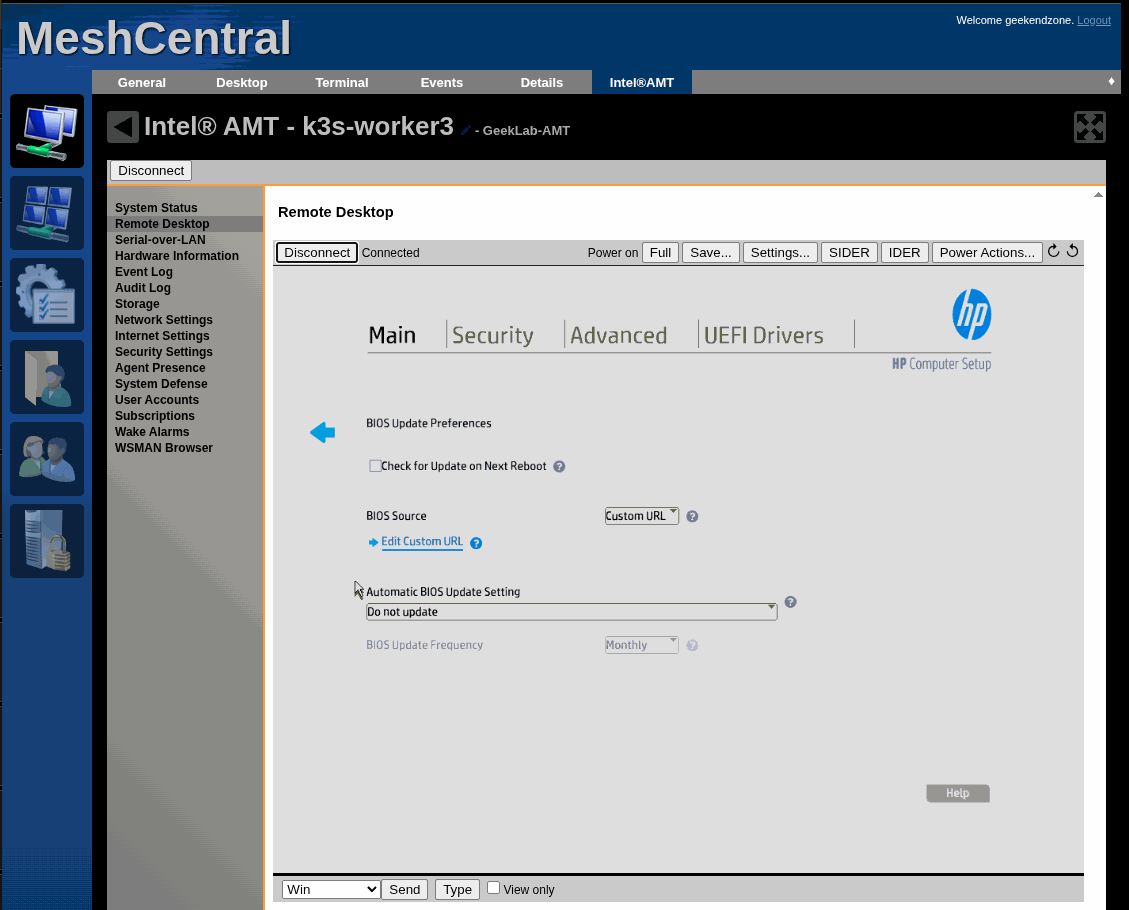
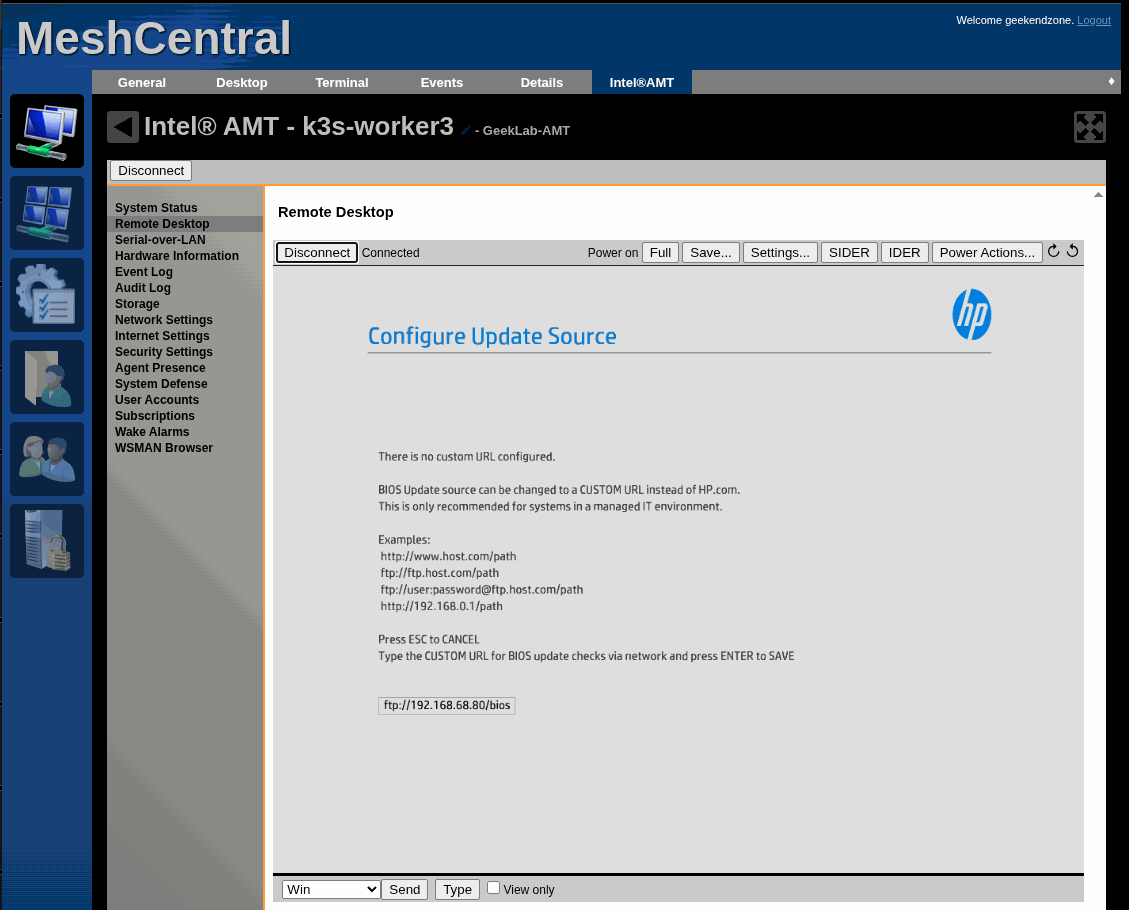
An anonymous read-only FTP server. Same files. And the log finally showed the firmware walking the directory itself:
CWD bios → CWD 829A → SIZE → RETR → 226 Transfer complete
9,437,184 bytes in 3.06 seconds
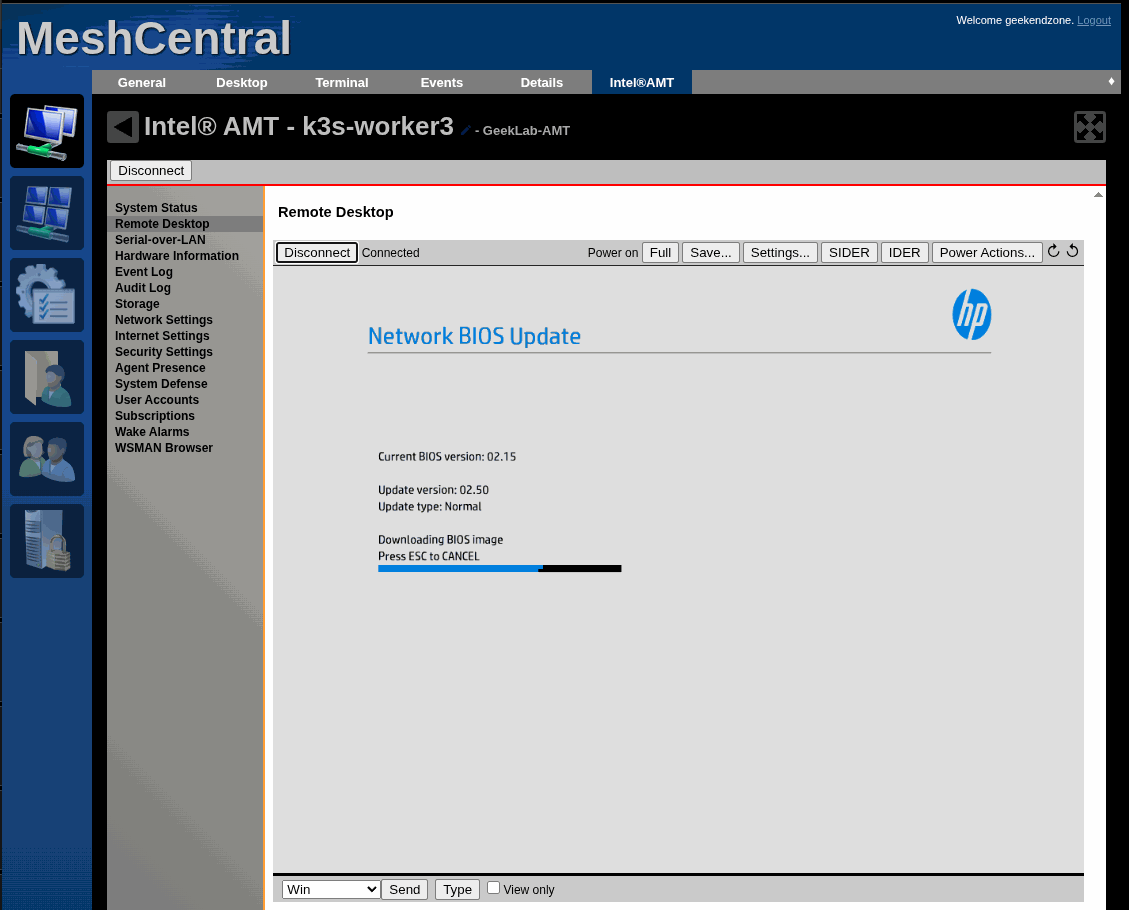
The node flashed from BIOS 02.22 to 02.50 with nobody in the room.
Then the bigger one: a control-plane node still on its 2017 shipping firmware went straight to the 2024 release, seven years in one jump, while the cluster kept quorum.
I went looking for prior art afterwards. Vendor documentation, forums, community tooling — I could not find a single confirmed public report of anyone self-hosting this successfully. The one real attempt I found stopped at a 404 and never followed up.
Then I did it four more times, and the interesting part is how boring it got
The proof-of-concept was a day. Finishing the fleet was a morning: the last three machines went from 2018-and-2019 firmware to the 2024 release in about seventy-five minutes, start to finish, including the drains. Nine minutes of that was actual flashing — the rest was waiting politely for a distributed database to move its primary off each node before I rebooted it.
All six machines now run identical firmware. Not one of them was opened, carried, or plugged into anything. The whole exercise cost one trip to the rack, and that trip was to swap a CPU, not to flash anything.
That's the part I'd want a year ago: not "it's possible", but "it becomes routine". The first one is research. The fourth one is a checklist.
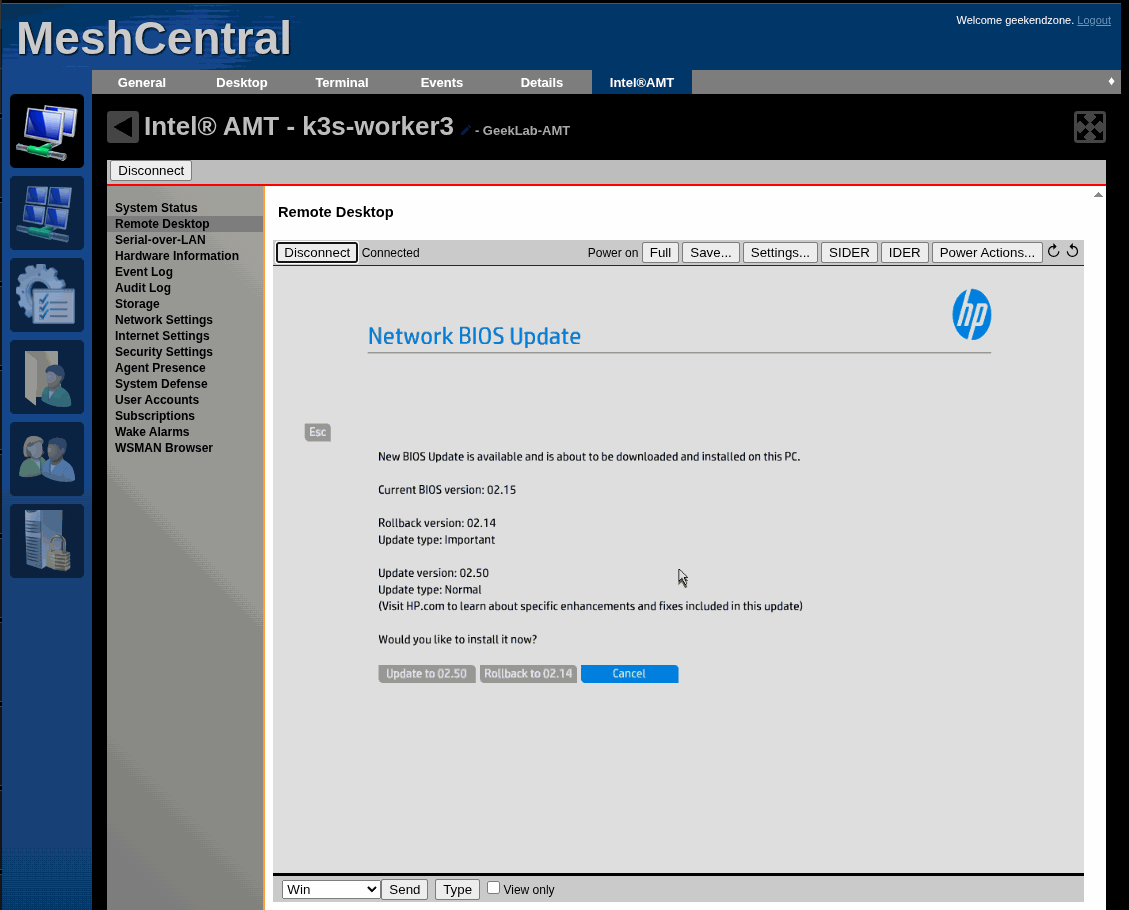
And this part is worth stealing even if you have no interest in remote management. You do not need vPro, AMT, or anything exotic. Any HP business desktop can update its own BIOS from a directory on your LAN — no USB stick, no vendor cloud, one repository for a whole fleet, and a log of exactly what each machine fetched. The layout the firmware expects is simply <your-url>/<board-id>/<board-id>.xml plus the image beside it, and the vendor still publishes both files so you can mirror them verbatim instead of hand-authoring anything.
What buying this instead would have cost
The alternative to switching on silicon these machines already contained was six IP KVM devices. Prices checked this month:
| Device | Each | Remote power? | ×6 |
|---|---|---|---|
| Sipeed NanoKVM Full | ~$43 | ✅ included | ~$350 |
| GL.iNet Comet | ~$99 | ❌ +$15 board | ~$690 |
| JetKVM | $103 | ❌ +$20 board | ~$740 |
| PiKVM V4 Mini | $270 | ✅ included | ~$1,620 |
Two things surprised me while checking.
Prices went up, not down. JetKVM launched at $69 and is $103 today — the vendor blames eMMC costs tripling in the 2026 memory shortage. The famous "$40 IP KVM" was a July-2024 launch price from one vendor, before shipping.
Most IP KVMs don't include remote power control. JetKVM, Comet and TinyPilot need a $10–20 ATX breakout board and an internal cable run to the front-panel header — opening six cases. Wake-on-LAN is free and doesn't substitute; PiKVM's own docs say it "will not allow rebooting a hung system."
Realistic: $350 for six at the absolute cheapest, $650–750 for anything with a warranty and working power control.
What AMT cost instead: $18. Total. For all six DisplayPort dummy plugs.
That's the entire hardware bill. The management silicon was already in the CPUs, and MeshCentral is free and runs in a 2 GB container on a hypervisor I already had. The most valuable capability — power on/off/reset plus BIOS entry on a fully powered-down machine — came free, which is exactly what the external boxes charge $10–20 and an internal cable run to add.
$18 against $350 at the cheapest, or $650–750 for the mainstream option.
Where AMT is genuinely worse, because this isn't a clean win
- 12–15 fps, capped at 1920×1200, forever. Fine for a BIOS menu, unpleasant for anything else. A modern IP KVM does 1080p60 at 30–60 ms.
- Headless is AMT's worst case — the integrated GPU never wakes without a display attached, so the console is black. Hence the dummy plugs. The external boxes don't have this defect.
- Virtual media is effectively unusable: AMT's IDE-R has been measured at 10–20 bytes/sec, about twenty minutes to boot a rescue ISO. If remote OS installs are what you need, buy the hardware.
- A discrete GPU disables it entirely, and it only works through the onboard vPro NIC.
- It's a ring -3 listener you cannot uninstall, with a steady advisory cadence.
The fair summary: AMT is excellent at exactly the job that caused this whole exercise — seeing and controlling a machine that won't boot — and mediocre at everything else. For six identical office minis already sitting on vPro silicon, that trade is obvious. For a mixed fleet, $650 buys real capability.
The console, and where it came from
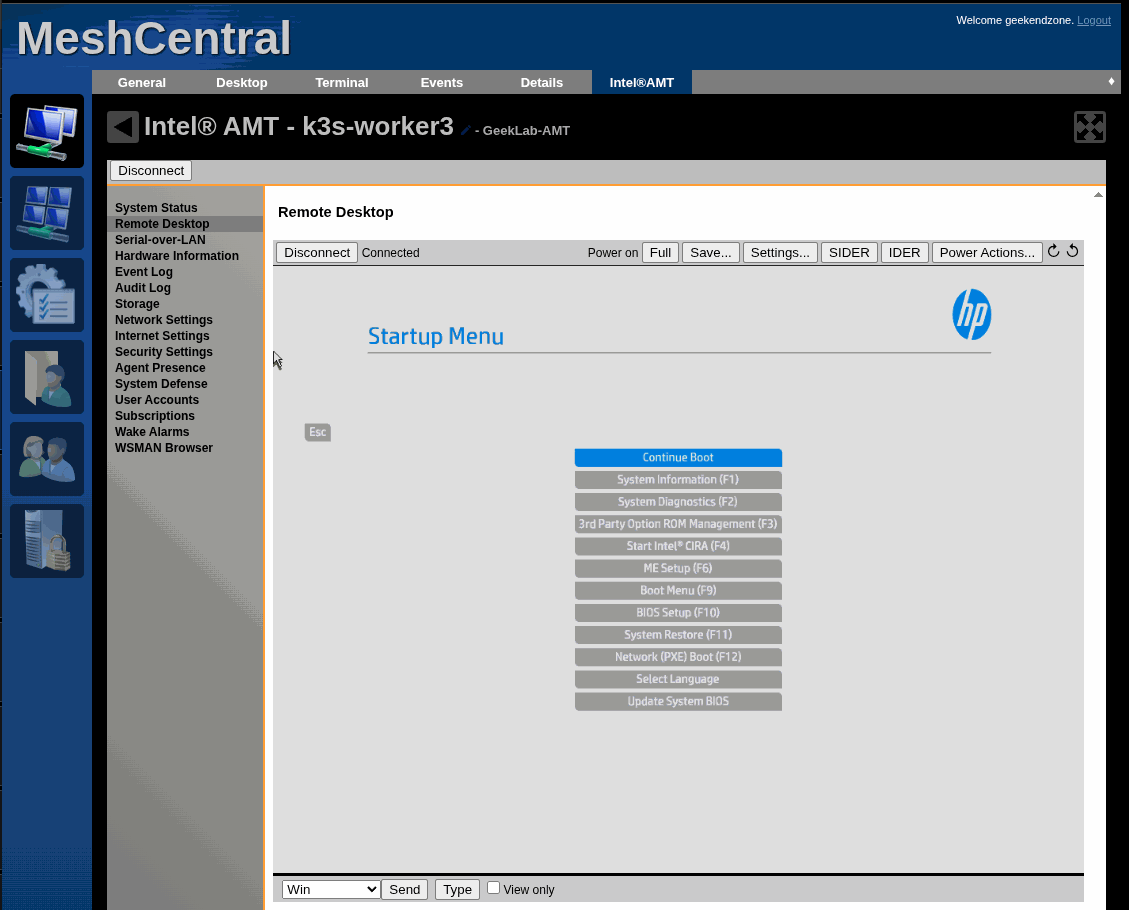
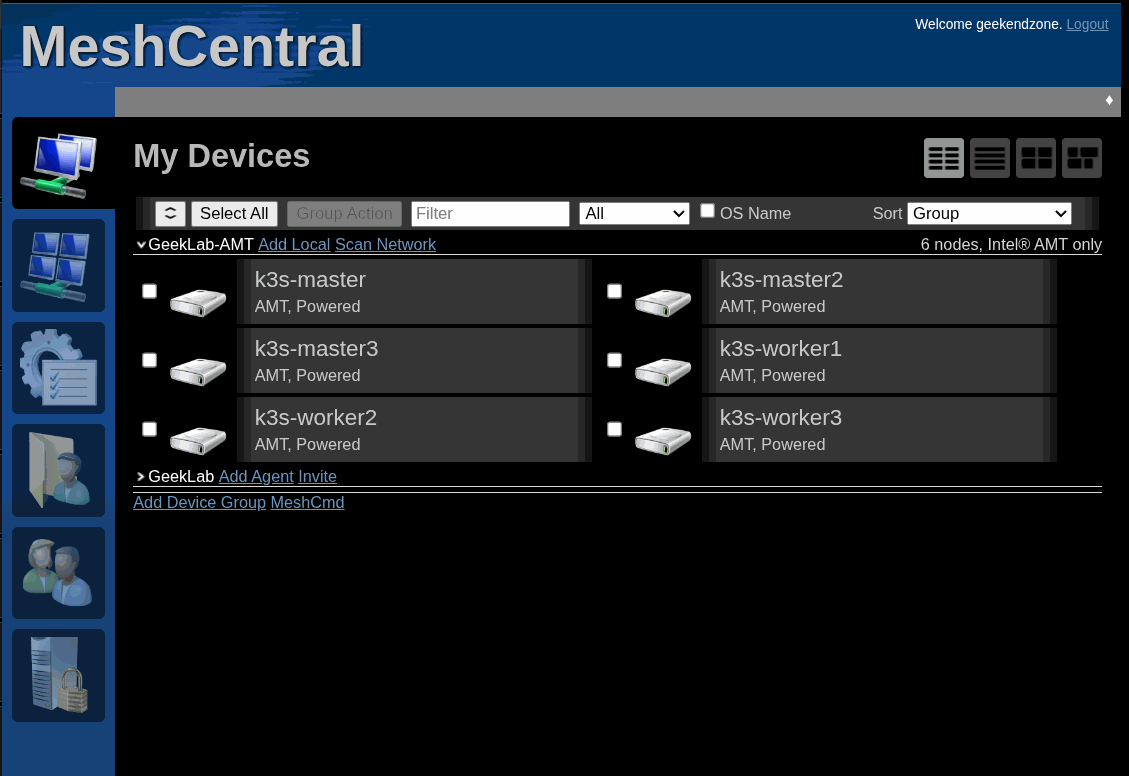
None of this works without somewhere to look. That was MeshCentral, found the way most homelab software gets found — browsing the Proxmox VE Helper-Scripts catalogue — and installed as a 2 GB LXC container on my hypervisor in about four minutes.
The detail that matters: I enrolled the nodes agent-less. MeshCentral has two modes, and nearly everything written about it covers the other one. With a software agent you install something in the OS, and you see nothing when the OS is dead. Agent-less, it talks straight to the management engine on the motherboard — so it works with the operating system down, with the machine powered off, and, in this case, with the machine parked in its BIOS setup menu.
Every firmware update in this story was driven through a browser tab showing the F10 menu of a headless machine bolted in a rack.
And the part I want to be straight about: the hard work was the protocol
Everything AMT does remotely runs over WS-Management — SOAP envelopes to port 16992 with digest auth. There's no friendly Linux CLI. Echo back a read-only field and it's rejected. Use a MessageID that isn't a valid UUID and it's rejected. Both return the identical sentence: "The supplied SOAP violates the corresponding XML schema definition." No field name. No line number.
That plumbing was written by Claude Code, and it's why this took a day instead of a fortnight. It wrote the envelopes, ran the same operation across six nodes without a transcription error, built the logging FTP server that cracked the firmware problem, read four vendor whitepapers to find the repository layout, and kept the guardrails on a live cluster — drain first, check quorum between control-plane nodes, verify every boot flag was disarmed afterwards.
It also got things wrong. It misdiagnosed a SOAP failure twice. It reported a false error because a search for "Fault" matched "DefaultGateway". And it published "this firmware only speaks FTP" as settled, on reasoning that turned out to have a hole in it — the hole I found, hours later.
So: the machine did the mechanical precision and the record-keeping. I did the physical work, the decisions, and the one piece of scepticism that mattered. Neither half finishes this alone in a day.
What I'd actually take from this
The honest output isn't "I flashed a BIOS remotely." It's the list of things I had written down as true that weren't:
- Ctrl+P enters the management firmware. It doesn't, on this hardware.
- Reopening a DHCP pool recovers a dark engine. It doesn't. Only a reboot does.
- Remote flashing is impossible here. It isn't.
- Flashing wipes the management provisioning. It doesn't.
- A boot-to-setup flag persists until you clear it. It's consumed after one boot.
- A machine that answers ping is powered on. It isn't. The management engine shares the network port and replies to ping with the computer physically off — which is a very convincing way to fool yourself about a machine you just shut down.
Every one was believed, acted on, and killed by a measurement. Several died to evidence of absence — an empty log, a pool nobody asked.
Which is the part I'd pass on: instrument the thing you're testing, not just the thing you're building. The FTP server took ten minutes. Its log is what actually solved the problem.
The barrier to using Intel AMT properly was never the concept — it's the protocol ergonomics. That barrier just got a lot lower, and that's genuinely why a stack of second-hand office PCs can now have enterprise-grade out-of-band management for the price of a few dummy plugs.